
Inspections
Inspections are entity records — they live under your Assets and Sites (Organisations). They can be template-driven checklists (safety checks, recurring audits) or ad-hoc records of a third-party visit. Either way they carry status, photos, notes, follow-ups and a full audit trail of who did what when.
Build a template once in Workspace → Inspection Templates. Pin it to the asset or site it applies to via the record's Inspections tab. Optionally set "recurring every N days" and FlecBase keeps it on the calendar — when due, the scheduler creates the next planned Inspection automatically.
For one-off cases — a vendor inspection, a manual condition note, an external audit — use Add ad-hoc inspection on the same tab. No template, no checklist; just a record you can attach files and notes to.
inspections_lifecycle_overview.pngWhere to find inspections
| Sidebar location | What you do here |
|---|---|
| Workspace → Inspection Templates | Define a checklist (sections + items) once. Templates are admin-managed. |
| Asset record → Inspections tab | Pin templates to this asset; set recurring frequency; Run on demand; or add ad-hoc. |
| Site / Organisation record → Inspections tab | Same widget as Assets — for sites, properties and other org-level inspections. |
| Reports → Inspections | The whole-workspace review list. Status filter ships with Draft / Open / In Progress pre-ticked. No Add button — Inspections always belong to a record (Asset or Site), so creation happens on those tabs. |
inspections_nav_workspace.pngStatus lifecycle
| Status | Meaning |
|---|---|
| Draft | Newly created (typically ad-hoc) — not actioned yet. |
| Open | Scheduled by the recurring clock OR manually ready to start. |
| In Progress | A Run has been started; a completion has been or is being filled. |
| Complete / Closed | Done. Stays in the audit trail; filter out of the active default with the status pill. |
What a checklist completion records
- Per-item answer: Pass, Fail (caution), Fail (critical), or N/A.
- Per-item comment (free text) + optional photos.
- Overall completion note from the inspector.
- Derived status: pass unless any answer was Fail (critical), in which case fail and an auto-flag for follow-up.
- Inspector identity, timestamp, and optional GPS location.
Why recurring matters
For inspections you actually want repeated — a quarterly brake check, an annual fire-system audit — set Recurring every N days when you pin the template. FlecBase tracks the link's last completed date and the nightly scheduler creates the next planned Inspection when it's due. Run it from the app, the desk, or the entity tab; the clock advances automatically and the next-due badge stays accurate.
inspections_due_badges.png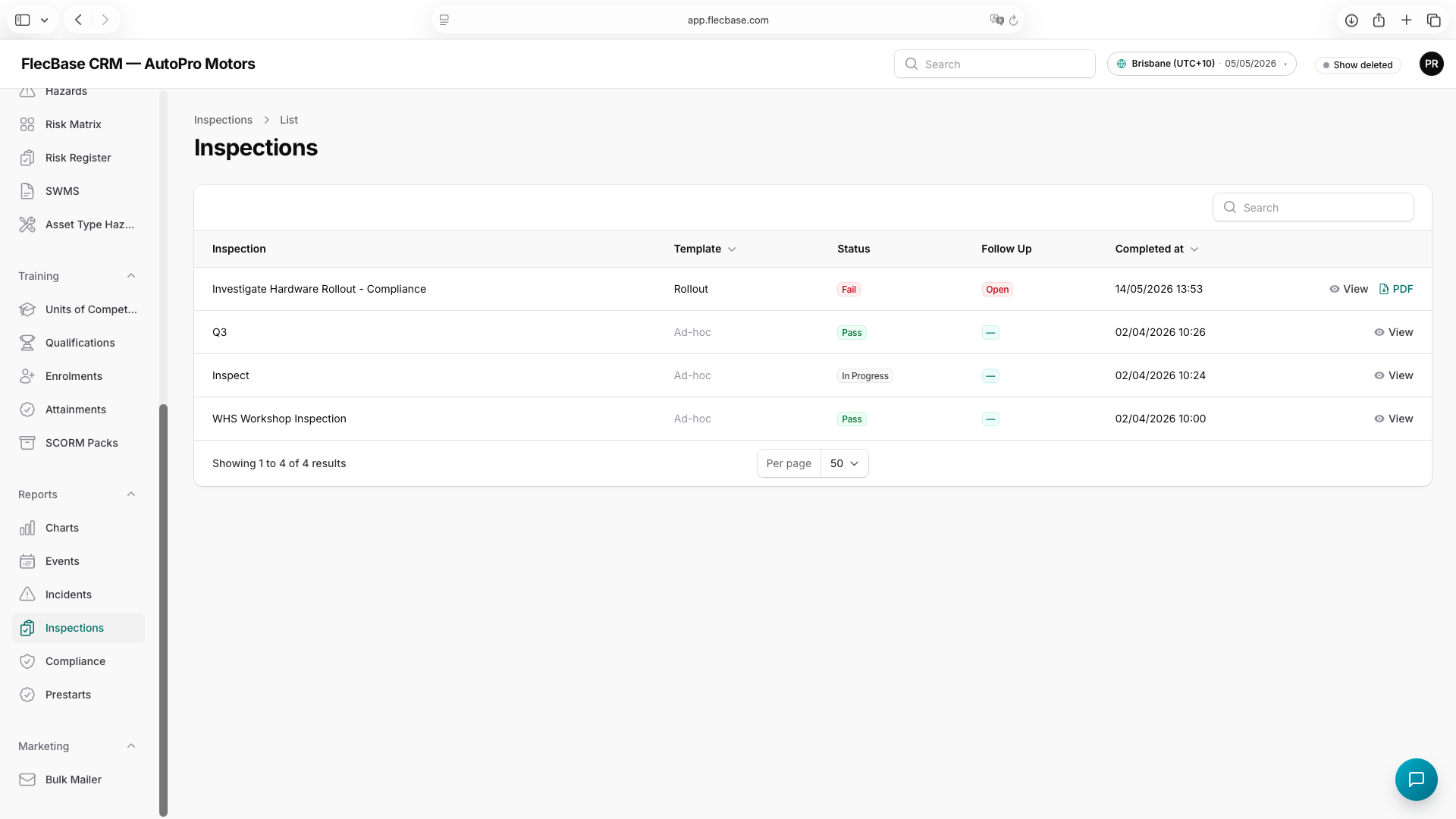
inspections_1.png